
Why Your Website Isn't Ranking on Google
Perfect Lighthouse scores but no Google rankings?
Published
Feb 12, 2026
Topic
Web Design
Learn why technical SEO isn't enough and what actually makes small business websites rank in 2026.
You've done everything right. You picked keywords, wrote blog posts, maybe even hired someone to "do SEO" on your site. Yet when you search for your business or services on Google, you're nowhere to be found. Meanwhile, your competitor with the janky website from 2015 is sitting comfortably on page one.
How come?
The Lighthouse Score Myth
If you've run your site through Google's Lighthouse tool (or PageSpeed Insights), you might have seen scores like this:
Performance: 95
Accessibility: 100
Best Practices: 100
SEO: 100
Perfect scores! Your site must be crushing it, right?
Not quite.
Here's the uncomfortable truth: a perfect Lighthouse SEO score of 100 doesn't guarantee high rankings. Not even close.
What the SEO Score Actually Measures
The Lighthouse SEO score checks basic technical boxes:
Does your page have a title tag?
Is there a meta description?
Are images using alt text?
Is the font size readable?
Are links crawlable?
These are table stakes. Think of them like having a front door on your shop: necessary, but not what brings customers in. Google's Lighthouse tool is essentially checking if your site is wearing pants, not whether it's wearing the right outfit for the occasion.
Why You're Still Not Ranking
Getting a perfect technical score is like having a perfectly formatted resume with no experience. Here's what's actually holding you back:
1. Content Relevance and Depth
Google wants to show the best answer to a search query, not the most technically perfect page. If your competitor has a comprehensive 2,000-word guide on the exact topic someone's searching for, and you have a 200-word page with better load times, they're going to win.
Your content needs to:
Actually answer what people are searching for
Cover topics in depth, not just surface-level
Include relevant keywords naturally (not stuffed)
Be updated regularly
2. Domain Authority and Backlinks
Google treats websites like a popularity contest combined with a reputation check. Sites that have been around longer and have earned links from other trusted websites get more credibility.
If you launched your site six months ago and your competitor has been collecting quality backlinks for five years, you're fighting uphill, even with better technical scores.
3. User Behavior Signals
Google watches what people do after clicking your link:
Do they immediately bounce back to search results? (Bad signal)
Do they spend time reading? (Good signal)
Do they click around to other pages? (Great signal)
Your site can load in 0.5 seconds with perfect SEO tags, but if visitors take one look and leave, Google notices.
4. Local SEO Factors
For small businesses, local search is everything. Are you:
Claiming and optimising your Google Business Profile?
Getting reviews consistently?
Including your city/region in content naturally?
Listed in local directories?
A technically perfect site won't rank for "plumber near me" if Google doesn't know where you are or what people think of you.
5. Search Intent Mismatch
Sometimes you're optimising for the wrong thing entirely. If people searching "best yacht holiday's" want comparison articles and you're showing them your yachts interior images, you won't rank, regardless of technical scores.
The Platform Problem Nobody Talks About
Here's something that doesn't show up in Lighthouse scores: your website builder might be holding you back.
Older platforms like Wix, WordPress (especially with bloated themes), and Squarespace were revolutionary when they launched. They democratised web design. But they're also:
Bloated with unnecessary code - Loading dozens of features you'll never use
Template-constrained - Limited customisation without breaking things
Performance-challenged - Multiple plugins and themes stacked on top of each other
SEO-limited - Can't optimise certain technical elements without workarounds
A DIY site on Squarespace or a freelancer-built WordPress site with 15 plugins might score well on basic tests, but under the hood, it's struggling. Modern sites built with current frameworks (Next.js, React, or Framer solutions) are simply faster, cleaner, and more flexible.
Think of it this way: you can tune up a 2005 Honda Civic to run well, but it's never going to perform like a 2026 model built with modern engineering.
Actionable Steps to Actually Rank Higher
Enough diagnosis. Here's what to do:
Immediate Actions (This Week)
Claim your Google Business Profile - If you're a local business and you haven't done this, stop reading and do it now
Add location pages - Create dedicated pages for each city/area you serve
Get your first 10 reviews - Ask happy customers, make it easy with direct links
Fix critical content gaps - Find what keywords you should rank for but don't, then create comprehensive content
Short-Term (This Month)
Audit your existing content - Update old pages, expand thin content to 1,000+ words where appropriate
Build 5-10 quality backlinks - Guest posts, local partnerships, industry directories
Optimise for featured snippets - Structure content with clear questions and concise answers
Improve internal linking - Connect related pages on your site to help Google understand your structure
Medium-Term (Next 3 Months)
Publish consistently - Weekly blog posts or resources that target long-tail keywords
. Monitor and respond to all reviews - Show Google (and customers) you're active and engaged
Create video content - Embed YouTube videos on your site and optimise them
Build out topic clusters - Don't just write random blog posts; cover topics comprehensively
Long-Term (Ongoing)
Track what actually matters - Not just traffic, but conversions and business results
Refresh old content quarterly - Update statistics, examples, and outdated information
Stay active on Google Business - Post updates, answer questions, add photos regularly
When to Consider Rebuilding
Sometimes the platform itself is the bottleneck. You might need to consider a rebuild if:
Your site takes 5+ seconds to load even after optimisation
You can't implement basic SEO changes without a developer
Your analytics show high bounce rates across the board
You're embarrassed to send potential clients to your website
Modern web development has come a long way. A well-built site isn't just about aesthetics, it's about performance, user experience, and being built for how search engines actually work in 2026.
The Bottom Line
A perfect Lighthouse SEO score is nice to have. It means you've got the basics covered. But ranking on Google requires:
Content that genuinely helps your audience
Technical performance that enhances user experience (not just scores well on tests)
Authority built through backlinks and trust signals
Consistent effort over months and years
And sometimes, it requires acknowledging that the platform you built on three years ago isn't cutting it anymore.
If your site's technical foundation is holding you back, no amount of content optimisation will get you where you need to be. You need something built for performance from the ground up, not retrofitted with plugins and workarounds.
At Fibonacci HQ, we've seen this pattern repeatedly: businesses frustrated with their rankings, doing everything "right" according to the guides, but still stuck on page three. Often, the issue isn't what they're doing, it's what they're building on.
We specialise in creating modern, high-performance sites that don't just score well on tests, but actually rank and convert. Sites you're proud to share, not embarrassed to send to potential clients.
Your website should be working for you, not against you. If it's not, maybe it's time to rebuild on a foundation that can actually compete in 2026.
Want to see how your site stacks up beyond just Lighthouse scores? We offer free technical audits that identify real ranking barriers, not just the obvious stuff Google's tools catch. Get in touch at fibonaccihq.com.
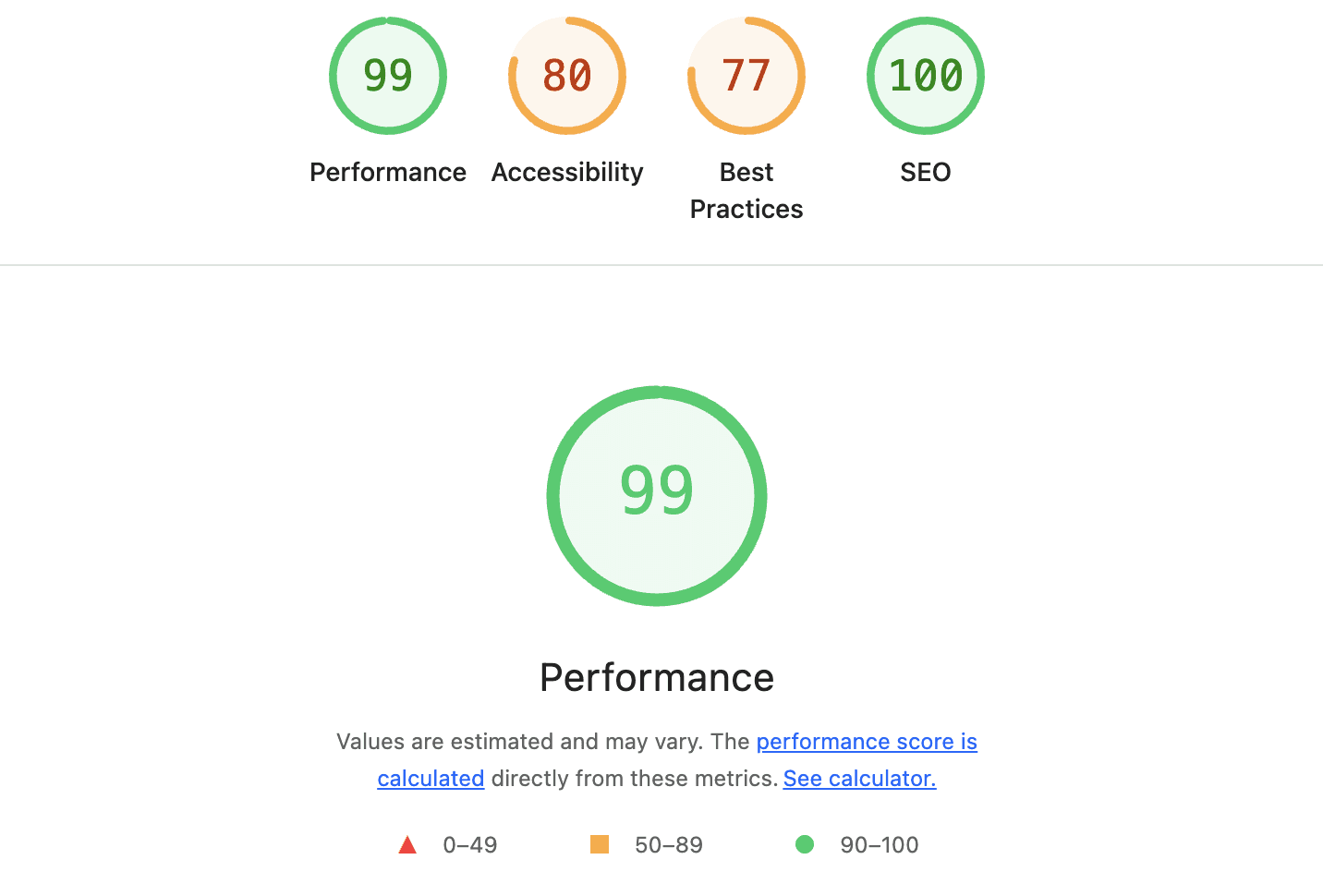
Typical Lighthouse Analytics Checklist Report